Bredo / Guides / Going through footage
How to go through footage and pick your selects
Selects are the clips you would actually use. Choosing them is the part of post nobody puts in the schedule and everybody puts off, because it means watching a day of footage you have already watched once through the viewfinder. It is quick when you do it in one sitting, with one decision per clip and no going back. It takes all afternoon when you browse.
Go through once, and go forwards
The slow way to pick selects is to browse. Open a clip, watch a bit, close it, open another, reopen the first one, wonder whether it was better than the third. That has no end, because every new clip reopens the last decision.
Going through has a rule instead: one clip on screen, one decision, next clip. You are not ranking anything yet and you do not go back. The job is to get from four hundred clips to forty, and every mark is reversible, so a wrong call costs nothing.
Three marks beat a five-star scale
Star ratings feel rigorous and they slow everything down. A five-point scale asks you to place each clip against clips you have not seen yet, so you sit there deciding between three and four on a shot of a doorway.
Use three states. Keep it, mark it Don't Use, or leave it unmarked because it is filler you will never look for. The second time through, promote the few keeps that are genuinely the best takes. Same ranking, none of the agonising, and the second time is quick because the field is small.
One more mark is worth the keystroke while the clip is in front of you: whether it is B-roll or someone talking. Roles are what you search by later, when the edit needs a cutaway.
Watch far less of each clip than you think
Most clips announce themselves in the first two seconds. Focus either landed or it did not. Exposure is either usable or it is not. Framing was set before you pressed record.
So skim. Move through the clip rather than playing it, jump to the middle to check the action, and only watch properly when the decision is close. Bredo skims on hover: run the pointer across a clip in the grid and you move through it, hold still and it plays from there. Settings offers skimming, playing or nothing, because a grid full of moving pictures is a nuisance for some people and the whole point for others.
Interviews need the words rather than the picture. A transcript line under the clip tells you whether this is the take where they said the thing, which watching a face will not.
The routine, in order
- Narrow to one shoot. A day, a card, a location. You need an end you can see.
- Start going through. In Bredo,
⌘Rover whatever the grid is showing fills the window with one clip at a time and starts playing it. - Skim, do not watch. Two seconds at the head, a scrub through the middle.
- Decide once.
Fkeeps it,Gmarks it Great,Xmarks it Don't Use. Marking moves you to the next clip by itself, so a whole shoot is F, G, X, F without a hand leaving the keyboard. - Say what it is.
Bfor B-roll,Afor talking. - Leave, then do the keeps again.
⎋puts you back in the grid on the clip you were watching, so going through a shoot over two evenings picks up where it stopped.
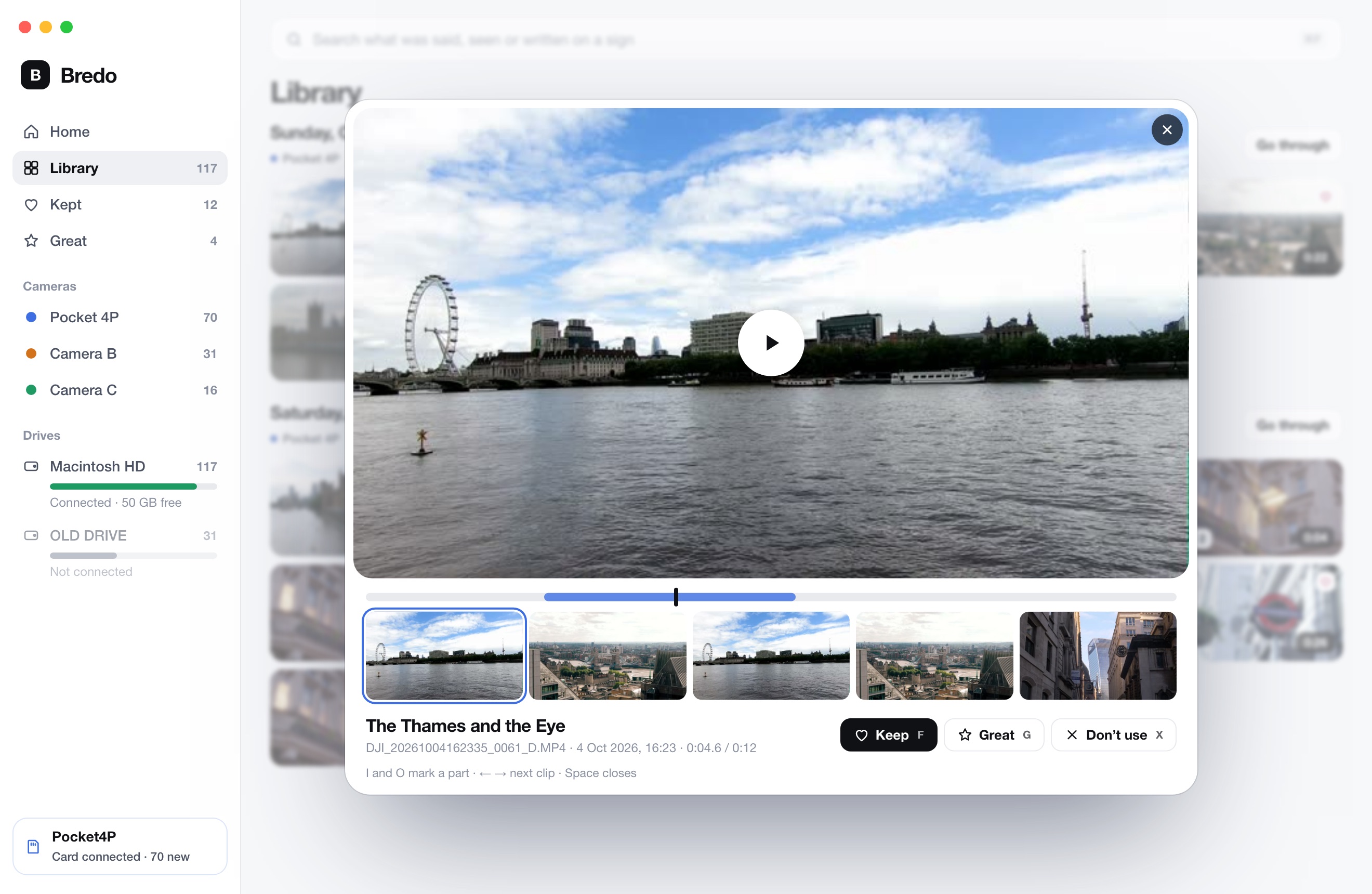
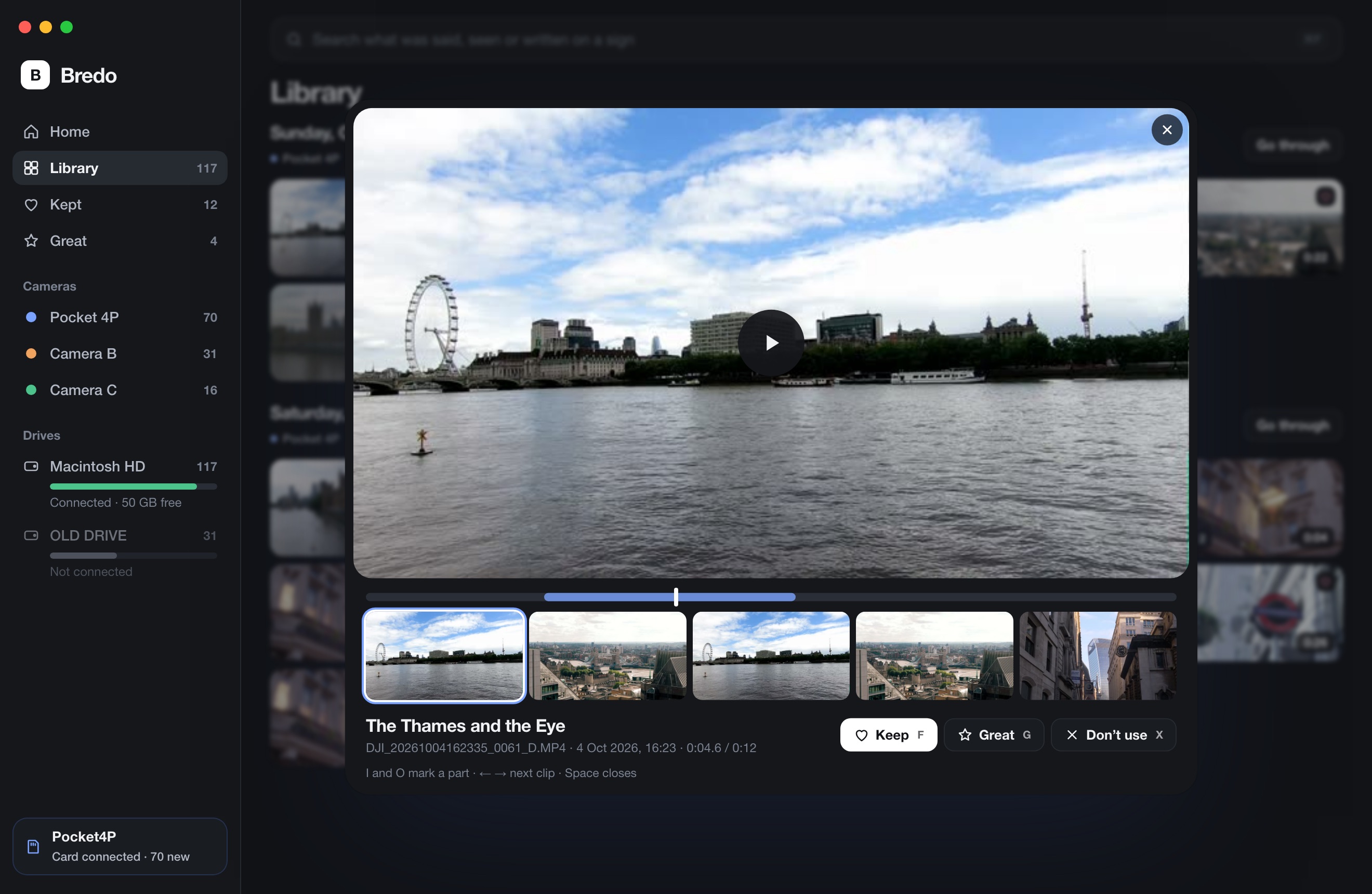
Going through, at the speed you decide
Bredo opens the next clip while you are still watching this one, so the arrow key is instant on a four-hundred-clip card. The marks are keystrokes, and you can rename a clip or add a note without leaving it. Nothing on the drive is renamed or moved, and Don't Use never touches the file.
Never delete what you won't use
Don't Use is a filter. It means "do not show me this while I am cutting", and it should never mean "remove this from the drive". The clips you throw out are exactly the ones a client asks about half a year later, usually the wide shot you dismissed because the take was long.
Keep the card contents intact and buy the extra drive instead of pruning. If you need the space, archive the whole shoot rather than picking through it, and keep a catalogue that still lists the clips once the drive is on a shelf. Finding footage you shot years ago covers what that catalogue has to remember.
Hand the selects over without moving files
When you are done you have a short list. If the editor works on your Mac, send them a timeline that points at the originals rather than copying media into a new folder: a copy is a second thing to keep in step, and a renamed file is a broken link in six months. If they work on their own Mac, hand off one folder with the footage and the timelines together. Getting clips into Final Cut or Premiere covers exports that carry the timecode and leave your originals where they are.
Questions
How long should it take to pick selects from a day of footage?
About an hour for a typical day of one-camera work, which is far less than the running time of the footage. That only holds if you skim rather than play each clip through and make one decision per clip. If it is taking three hours, the cause is almost always re-watching clips you have already marked.
Should I delete the footage I did not select?
No. Marking a clip Don't Use is a filter, not a deletion, and the clips you turned down are the ones a client asks for six months later. Storage is cheaper than a reshoot, so keep the whole card and let the marks decide what you look at rather than what exists.