Bredo / Guides / Cataloguing external drives
How to catalogue external hard drives full of footage
To know what is on a drive without plugging it in, you have to take an index while it is plugged in and keep that index somewhere else. Label each drive with a name it will keep forever, record what it holds, store every index in one searchable place, and keep a count of the footage that exists on only one disk. An afternoon per shelf of drives, and the drawer stops being a mystery.
Give every drive a permanent name and write it on the case
Start by naming drives so a name never comes back. FOOTAGE_01 through
FOOTAGE_09 beats anything descriptive, because descriptive names go stale the
moment a drive gets repurposed. Put the same name on a physical label, and never reuse a number
even after a drive is wiped or thrown away. A retired number is a dead reference in your notes;
a recycled one is a wrong answer.
macOS gives you a matching identifier for free. Every volume has a UUID that survives renaming, which is what a catalogue should key on:
diskutil info /Volumes/FOOTAGE_03 | grep -i "Volume UUID"Take an index of each drive
The cheapest index is a file listing. Plug in each drive in turn and write its contents to a text file that lives on your Mac, not on the drive:
cd /Volumes/FOOTAGE_03
find . -type f -not -name ".*" > ~/Documents/drive-index/FOOTAGE_03.txt
Now grep harbour ~/Documents/drive-index/*.txt answers which drive a shoot is on
in under a second, and it keeps working long after the software you were using has gone. Keep
these files in the folder your Mac backs up, and copy the whole folder onto each drive as well
so that any single drive can rebuild the map.
A listing has one weakness: filenames are a poor description of pictures. C0043.MP4
tells you nothing about what was in front of the lens. That is where a catalogue app earns its
place, by holding a thumbnail, duration, codec, camera and date for every clip so you can look
at a drive's contents rather than read them.
Keep the indexes in one place, not one per drive
The common mistake is putting each drive's catalogue on the drive it describes, which is exactly the drive you cannot read. Every index belongs on your Mac, in one folder, backed up with everything else. A copy on the drive itself is a useful extra for the day your Mac dies, but never the original.
The same logic applies to checksum records. If you write an ASC MHL file when you copy a card, keep the hash list travelling with the footage and a copy in your index folder, so that you can compare a drive's contents against what was originally written without waiting for the drive to arrive in the post.
Drives you have unplugged, still in the window
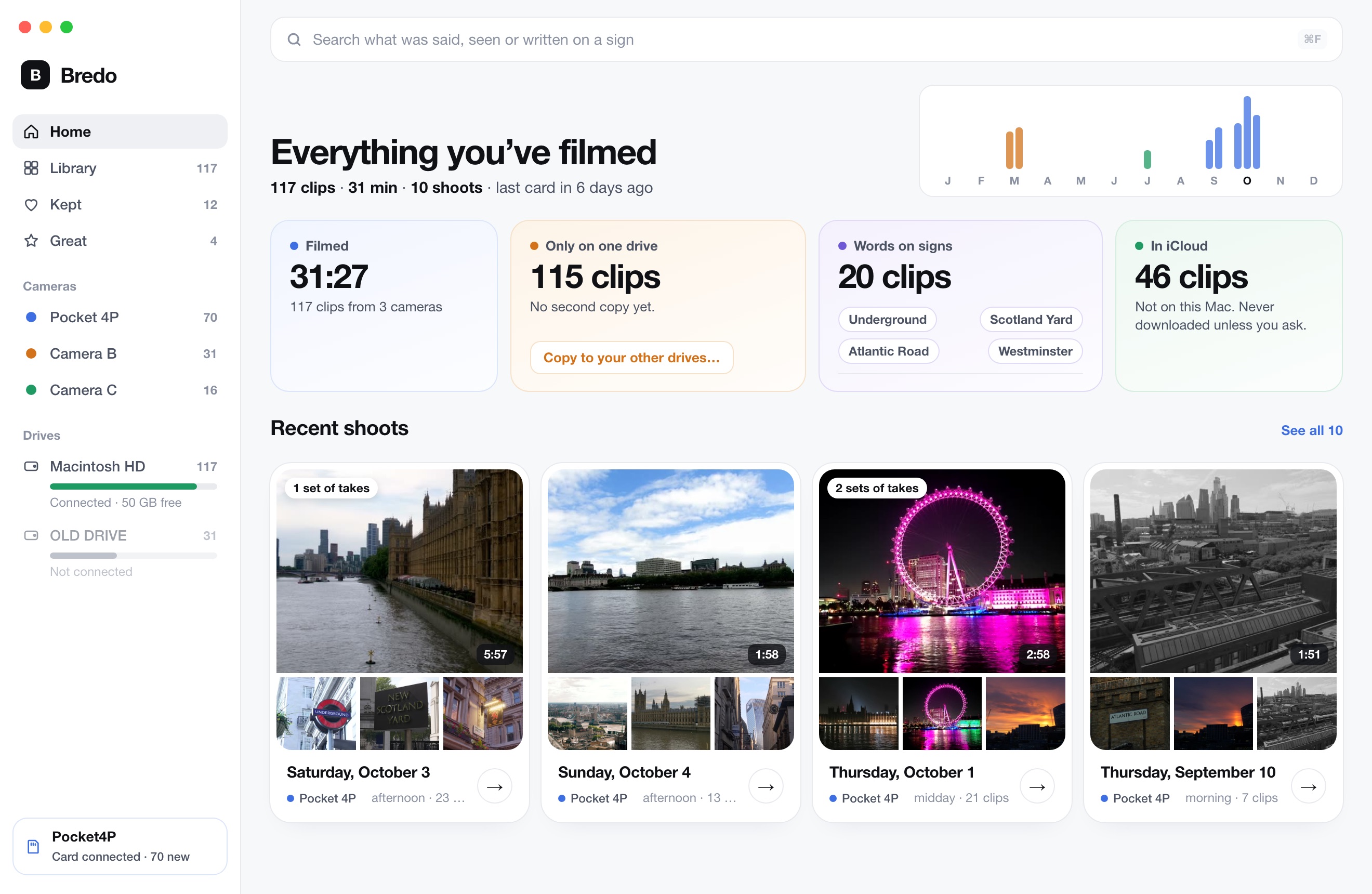
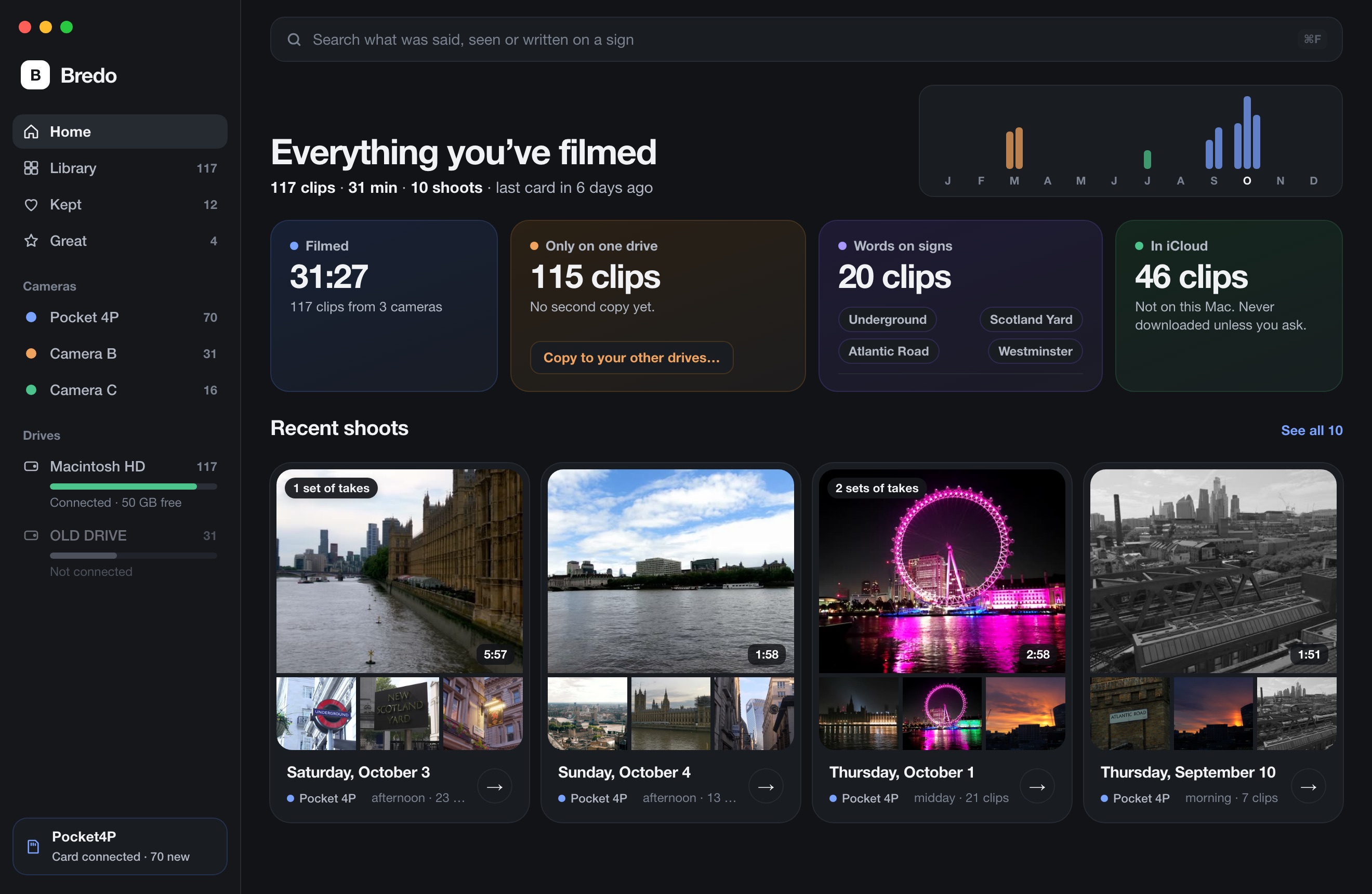
Bredo keeps every drive it has read in one library. Disconnected drives stay in the list, greyed, with their clips still visible and searchable, and the window tells you how many clips exist in only one place. Switch on small copies and those clips play too.
Count the footage that exists in only one place
The point of a catalogue is not tidiness. It is knowing your exposure. Once every drive is indexed, you can ask the question that actually matters: which clips live on exactly one disk? That number is your risk, and it usually turns out to be larger than anyone expects, because second copies get made for recent work and quietly skipped for everything older.
Work through the list oldest first. Footage from a job that is finished and paid for is still the footage you would have to re-shoot. Two copies on two physical disks, ideally not both in the same building, is the floor.
Plan for drives ageing out
A spinning drive that has sat on a shelf for five years is not a backup, it is a lottery ticket. Set a recurring reminder to spin up each archive drive once a year: plug it in, let the Mac mount it, copy a few large files off and confirm they open. A drive that refuses to mount during a planned check is a bad afternoon. The same drive discovered mid-project is a disaster.
When a drive reaches the end, copy it whole onto a new one rather than picking through it, then update the index and retire the old number. Two related pages: how to organise footage on a Mac covers the folder structure that makes a drive worth indexing, and finding footage you shot years ago covers what to do once the index exists.
Questions
How do I see what is on an external drive without plugging it in?
You need an index taken while the drive was connected, held somewhere that is not the drive. That can be a text file of the folder listing, a spreadsheet, or a catalogue app that keeps thumbnails and metadata for every file. Without an index taken in advance, there is no way to read a disconnected disk.
How long do external hard drives keep footage safely?
Plan on five years for a spinning drive and treat anything older as borrowed time, whether it spins up or not. SSDs left unpowered for years can lose data quietly rather than failing outright. The number that matters is not the age of the drive but how many drives a given clip exists on, which is why the count of footage held in only one place is the one to watch.